






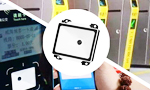

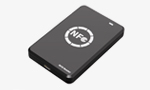
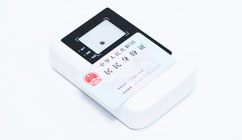
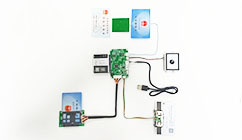
















EST-100/EST-100GS/EST-J13X系列Harmony鸿蒙系统开发包(含身份证、社保卡、CPU、M1、磁条卡、银行卡等卡)
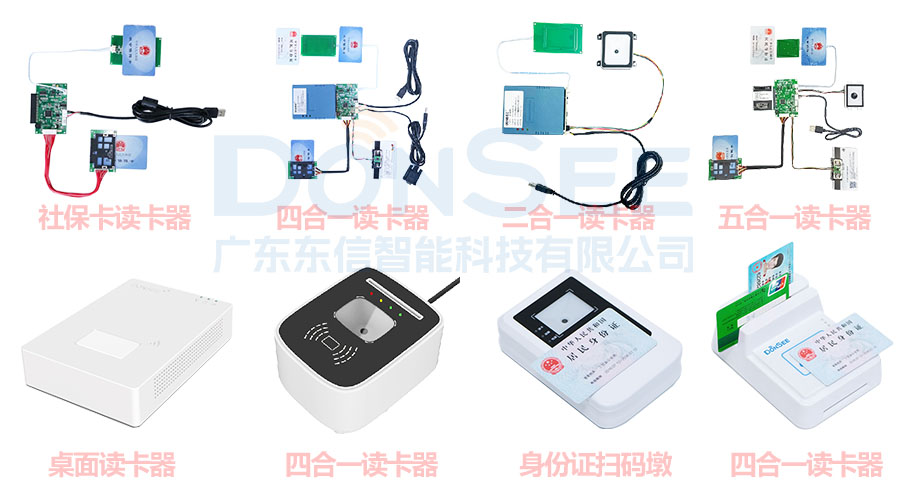
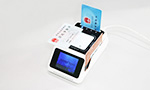
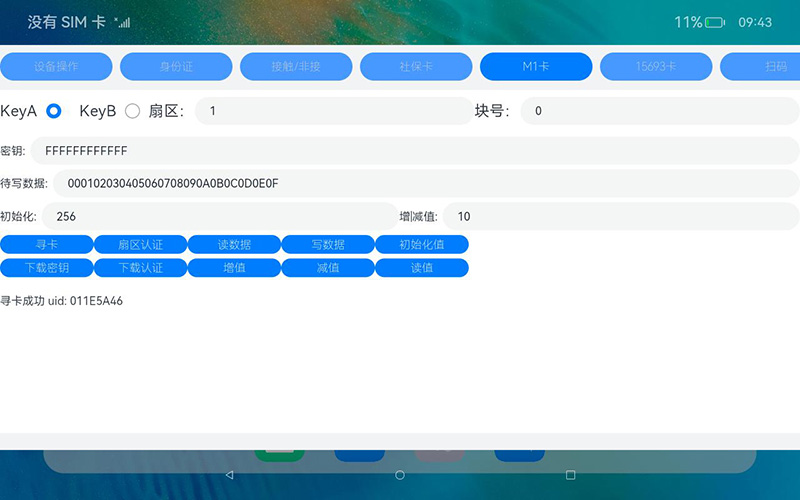
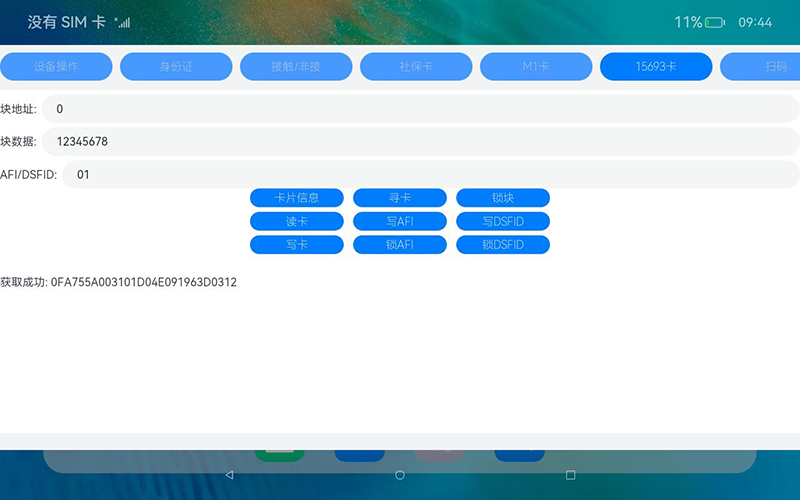
广东东信智能科技有限公司DONSEE EST-100多功能智能卡读写器系列开源鸿蒙开发包(含身份证、社保卡、CPU卡、M1卡、磁条卡、银行卡、就诊卡、扫码等卡),支持EST-100、EST-100G、EST-J13X、EST-100GS、EST-100MR、EST-100(M20)等机型,仅供开发人员和测试人员使用。
鸿蒙测试版本:OpenHarmony 3.2、4.0、4.1、5.0、6.0.0、6.0.1、6.0.2、6.1、6.2等系列。
demo开发语言:ArkTS,支持定制提供C语言调用的so库开发使用。
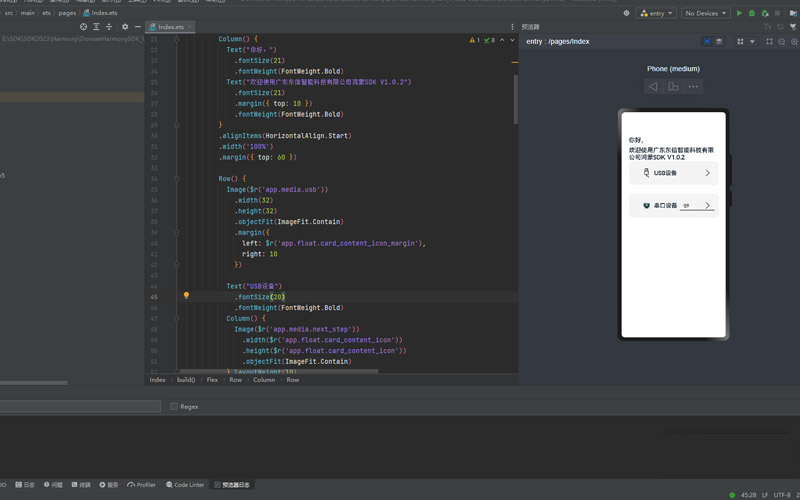
编译环境:
DevEco Studio 6.0.2 Release
Build Version: 6.0.2.642, built on March 5, 2026
Runtime version: 21.0.8+1-b1038.71 amd64 (JCEF 122.1.9)
VM: OpenJDK 64-Bit Server VM by JetBrains s.r.o.
Toolkit: sun.awt.windows.WToolkit
Windows 10.0
GC: G1 Young Generation, G1 Concurrent GC, G1 Old Generation
Memory: 2048M
Cores: 16
Registry:
idea.plugins.compatible.build=IC-243.24978.46
Non-Bundled Plugins:
com.huawei.deveco.intelligent-assistant (6.1.1.268)
开源鸿蒙系统开发包下载地址:
OpenHarmony开源鸿蒙SDK开发包V2.0.3-20260604↓
开源鸿蒙系统SDK更新中,可联系公司商务发送最新版SDK开发包。
产品销售咨询:138-2221-6429
鸿蒙技术咨询:139-2221-0502
以下为更早版本:
OpenHarmony开源鸿蒙SDK开发包V1.0.3-20250827↓
OpenHarmony开源鸿蒙SDK开发包V1.0.3-20241204↓
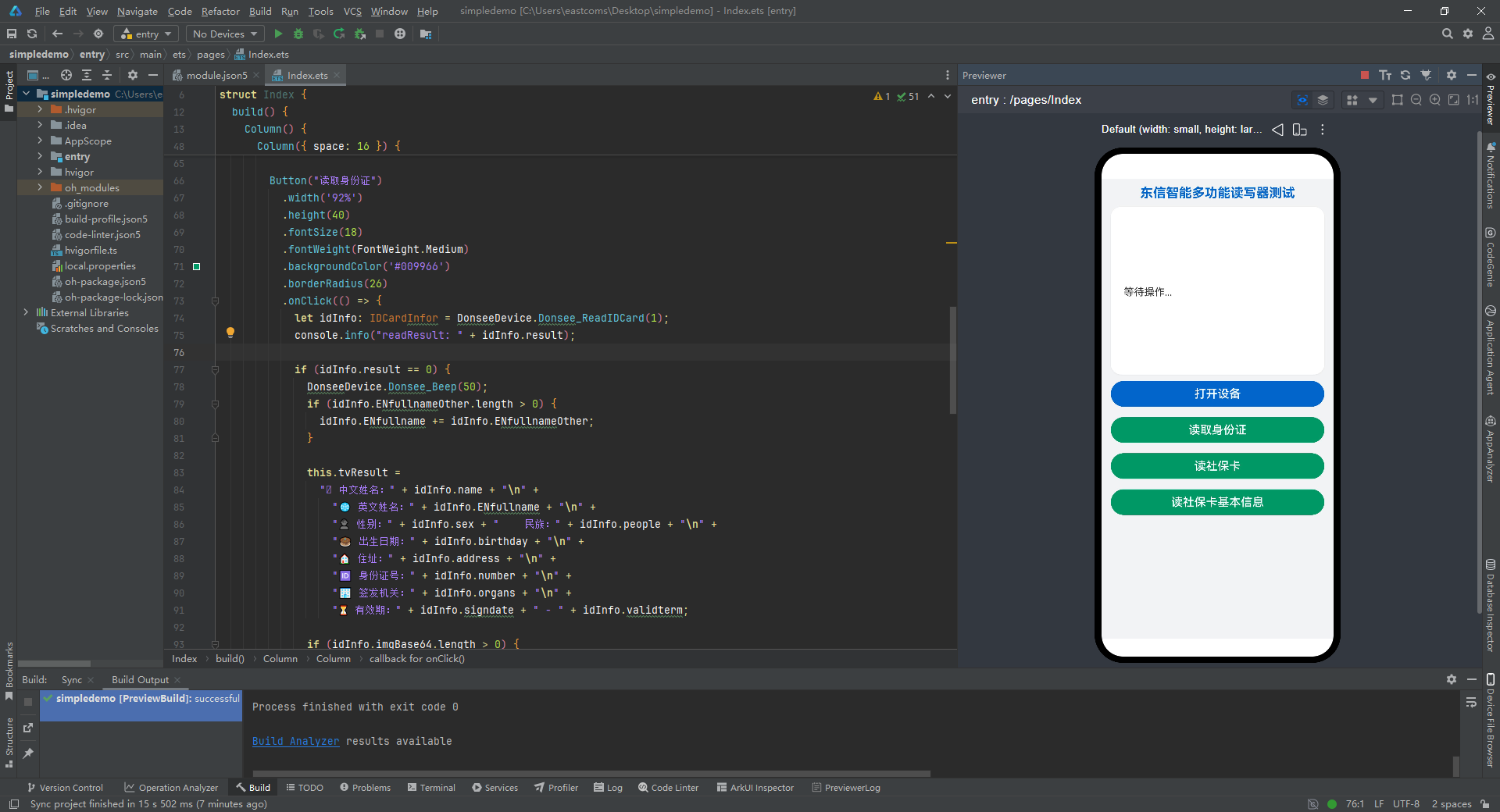
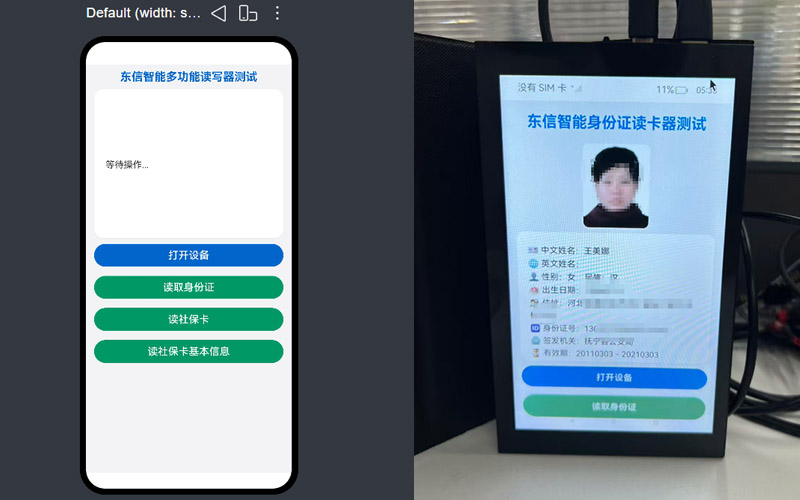
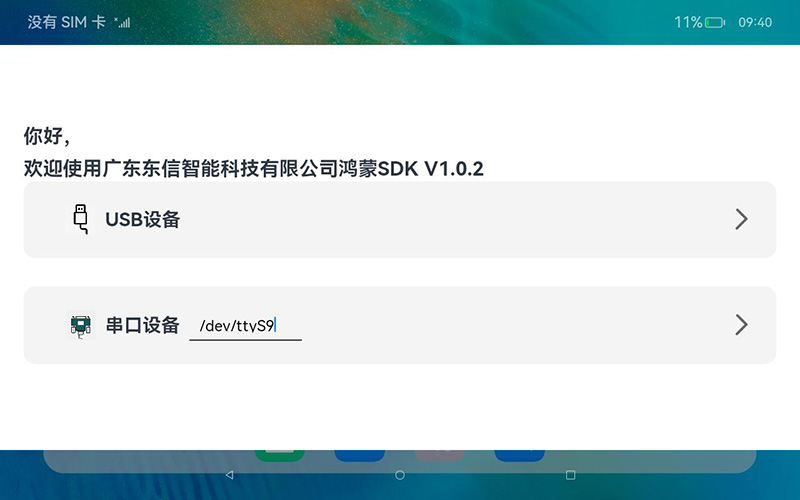
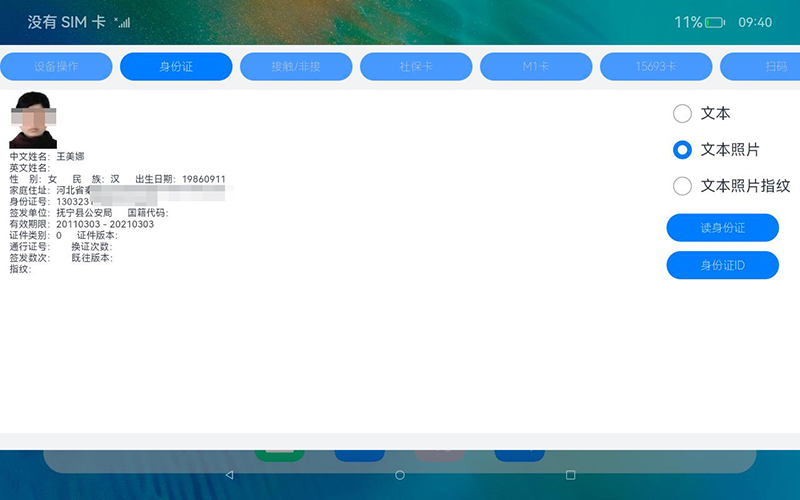
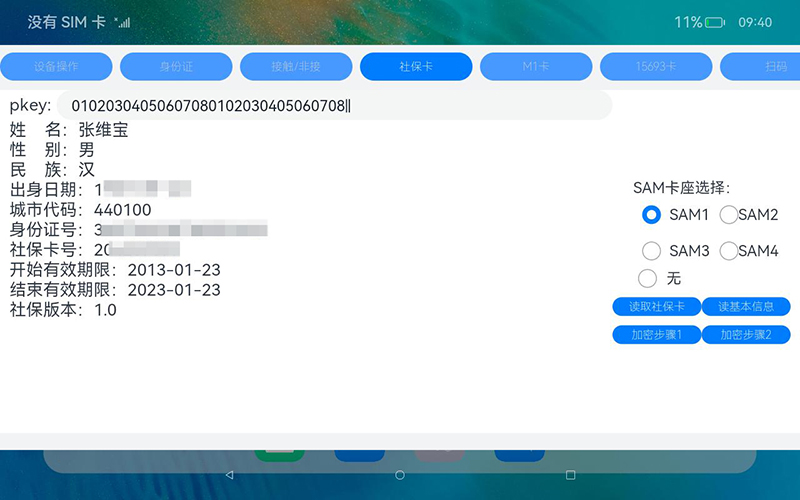
以下为读身份证和社保卡的部分代码,详细见开发文档或者demo。
import DonseeDevice from 'donseedevicelib/src/main/ets/model/DonseeDevice';
import { IDCardInfor } from 'donseedevicelib/src/main/ets/model/IDCardInfor';
/**
* 身份证读卡页面
* 广东东信智能科技有限公司
* www.eastcoms.com
*/
@Entry
@Component
struct Index {
@State message: string = '东信智能多功能读写器测OpenHarmony开源鸿蒙测试';
@State imgBase64: string = '';
@State imageVisible: Visibility = Visibility.None;
@State tvResult: string = '等待操作...';
build() {
Column() {
// 顶部标题
Text(this.message)
.fontSize(20)
.fontWeight(FontWeight.Bold)
.fontColor('#0066CC')
.margin({ top: 10, bottom: 10 });
// 身份证照片展示
Image(this.imgBase64)
.visibility(this.imageVisible)
.width(102)
.height(126)
.borderRadius(10)
.objectFit(ImageFit.Cover)
.backgroundColor('#F5F5F5')
.margin({ bottom: 5 });
// 操作结果卡片
Scroll() {
Text(this.tvResult)
.fontSize(16)
.fontColor('#333333')
.lineHeight(26)
.width('100%')
.padding(20)
}
.width('92%')
.height(260)
.backgroundColor('#FFFFFF')
.borderRadius(16)
.shadow({ radius: 4, color: '#10000000', offsetX: 0, offsetY: 2 })
.margin({ bottom: 10 });
// 功能按钮区域
Column({ space: 16 }) {
Button("打开设备")
.width('92%')
.height(40)
.fontSize(18)
.fontWeight(FontWeight.Medium)
.backgroundColor('#0066CC')
.borderRadius(26)
.onClick(() => {
let ret: number = DonseeDevice.Donsee_Open("USB");
if (ret == 0) {
DonseeDevice.Donsee_Beep(50);
this.tvResult = "✅ 东信读写器打开成功";
} else {
this.tvResult = "❌ 东信读写器打开失败,错误码:" + ret;
}
});
Button("读取身份证")
.width('92%')
.height(40)
.fontSize(18)
.fontWeight(FontWeight.Medium)
.backgroundColor('#009966')
.borderRadius(26)
.onClick(() => {
let idInfo: IDCardInfor = DonseeDevice.Donsee_ReadIDCard(1);
console.info("readResult: " + idInfo.result);
if (idInfo.result == 0) {
DonseeDevice.Donsee_Beep(50);
if (idInfo.ENfullnameOther.length > 0) {
idInfo.ENfullname += idInfo.ENfullnameOther;
}
this.tvResult =
"🪪 中文姓名:" + idInfo.name + "\n" +
"🌐 英文姓名:" + idInfo.ENfullname + "\n" +
"👤 性别:" + idInfo.sex + " 民族:" + idInfo.people + "\n" +
"🎂 出生日期:" + idInfo.birthday + "\n" +
"🏠 住址:" + idInfo.address + "\n" +
"🆔 身份证号:" + idInfo.number + "\n" +
"🏢 签发机关:" + idInfo.organs + "\n" +
"⏳ 有效期:" + idInfo.signdate + " - " + idInfo.validterm;
if (idInfo.imgBase64.length > 0) {
this.imgBase64 = 'data:image/png;base64,' + idInfo.imgBase64;
this.imageVisible = Visibility.Visible;
}
} else {
this.imageVisible = Visibility.None;
this.tvResult = "❌ 读取失败,错误码:" + idInfo.result;
}
});
Button("读社保卡")
.width('92%')
.height(40)
.fontSize(18)
.fontWeight(FontWeight.Medium)
.backgroundColor('#009966')
.borderRadius(26)
.onClick(() => {
let nSlotPsam = 1
let nType = 1
let ssCardInfor = DonseeDevice.Donsee_ReadSSCard(nSlotPsam, nType)
if (ssCardInfor.result == 0) {
DonseeDevice.Donsee_Beep(50);
this.tvResult = "姓 名:" + ssCardInfor.name + "\n"
+ "性 别:" + ssCardInfor.sex + "\n"
+ "民 族:" + ssCardInfor.nation + "\n"
+ "出身日期:" + ssCardInfor.birthday + "\n"
+ "城市代码:" + ssCardInfor.city + "\n"
+ "身份证号:" + ssCardInfor.idnumber + "\n"
+ "社保卡号:" + ssCardInfor.cardnumber + "\n"
+ "开始有效期限:" + ssCardInfor.signdate + "\n"
+ "结束有效期限:" + ssCardInfor.validterm + "\n"
+ "社保版本:" + ssCardInfor.cardveVrsion + "\n"
} else {
this.tvResult = "读卡失败:" + ssCardInfor.result+"\n errMsg = "+ssCardInfor.errMsg.trim()
}
});
Button("读社保卡基本信息")
.width('92%')
.height(40)
.fontSize(18)
.fontWeight(FontWeight.Medium)
.backgroundColor('#009966')
.borderRadius(26)
.onClick(() => {
let datas = DonseeDevice.Donsee_iReadCardBas(3)
if (datas[0] == 0) {
DonseeDevice.Donsee_Beep(50);
this.tvResult = "读基本信息成功:" + datas[1]
} else {
this.tvResult = "读基本信息失败:" + datas[0]
}
});
}
.width('100%')
}
.width('100%')
.height('100%')
.backgroundColor('#F2F3F5')
.alignItems(HorizontalAlign.Center)
}
}
import CommonContants from '../common/CommonContants';
import DonseeDevice from '@ohos/DonseeDevice/src/main/ets/model/DonseeDevice';
import { IDCardInfor } from '@ohos/DonseeDevice/src/main/ets/model/IDCardInfor';
/**
* 身份证读卡页面
* 广东东信智能科技有限公司
* www.eastcoms.com
*/
@Component
export struct IDCardComponent {
@State tvResult: string = '';
@State imgBase64: string = '';
@State imageVisible: Visibility = Visibility.None;
@State nType : number = 1;//0,文本信息;1,文本+照片;2,文本+照片+指纹
@Provide showSelector: boolean = false // 是否展开下拉菜单
@Provide modesData: any = [{id: 1,name: '文本信息'},{id: 2,name: '文本照片'},{id: 3,name: '文本照片指纹'}]
@Provide modeId: number = 0 // 当前选中项id
build() {
Column() {
Row() {
Column() {
Image(this.imgBase64)
.visibility(this.imageVisible)
.width(51)
.height(63)
.objectFit(ImageFit.Contain)
Text(this.tvResult)
.fontSize(10)
.margin({ top: 2 })
}
.layoutWeight(1)
.margin({left:10})
.alignItems(HorizontalAlign.Start)
Column() {
Column() {
Row() {
Radio({ value: "文本", group: "1234" })
.checked(this.nType === 0 ? true : false)
.height(20)
.width(20)
.onClick(() => {
this.nType = 0;
})
Text('文本')
}.margin({ left: 10 })
Row() {
Radio({ value: "文本照片", group: "1234" })
.checked(this.nType === 1 ? true : false)
.height(20)
.width(20)
.onClick(() => {
this.nType = 1;
console.info("Radio onClick")
})
Text('文本照片')
}.margin({ left: 10 })
Row() {
Radio({ value: "文本照片指纹", group: "1234" })
.checked(this.nType === 2 ? true : false)
.height(20)
.width(20)
.onClick(() => {
this.nType = 2;
console.info("Radio onClick")
})
Text('文本照片指纹')
}.margin({ left: 10 })
}.justifyContent(FlexAlign.Start)
.alignItems(HorizontalAlign.Start)
Button("读身份证")
.fontSize($r('app.float.submit_button_font_size'))
.fontWeight(CommonContants.FONT_WEIGHT)
.height(30)
.width(120)
.onClick(() => {
let idInfo:IDCardInfor = DonseeDevice.Donsee_ReadIDCard(this.nType)
console.info("result: " + idInfo.result)
if(idInfo.result==0){
if(idInfo.ENfullnameOther.length>0){
idInfo.ENfullname += idInfo.ENfullnameOther
}
this.tvResult =
"中文姓名:"+ idInfo.name+" "
+"英文姓名:"+ idInfo.ENfullname+"\n"
+"性 别:"+ idInfo.sex+" "
+"民 族:"+ idInfo.people+" "
+"出生日期:"+ idInfo.birthday+"\n"
+"家庭住址:"+ idInfo.address+"\n"
+"身份证号:"+ idInfo.number+"\n"
+"签发单位:"+ idInfo.organs+" "
+"国籍代码:"+ idInfo.nationality+"\n"
+"有效期限:"+ idInfo.signdate+" - "+ idInfo.validterm+"\n"
+"证件类别:"+ idInfo.certType+" "
+"证件版本:"+ idInfo.certVersion+"\n"
+"通行证号:"+ idInfo.passNu+" "
+"换证次数:"+ idInfo.changCount+"\n"
+"签发数次:"+ idInfo.signCount+" "
+"既往版本:"+ idInfo.oldNumber+"\n"
+"指纹:"+ idInfo.figData+"\n"
if(idInfo.imgBase64.length>0){
this.imgBase64 = 'data:image/png;base64,'+idInfo.imgBase64
this.imageVisible = Visibility.Visible
}else{
this.imageVisible = Visibility.None
}
}else{
this.imgBase64 = ''
this.tvResult = "读取失败:"+ idInfo.result
}
}).margin({top:10})
Button("身份证ID")
.fontSize($r('app.float.submit_button_font_size'))
.fontWeight(CommonContants.FONT_WEIGHT)
.height(30)
.width(120)
.onClick(() => {
let[result,data] = DonseeDevice.Donsee_ReadIDCardUid()
if(result == 0){
this.tvResult = "Uid:"+ data
}else{
this.tvResult = "Uid读取失败:"+ result
}
}).margin({top:10})
}.justifyContent(FlexAlign.End)
.margin({right:10})
}.justifyContent(FlexAlign.Start)
.width(CommonContants.FULL_PARENT)
}.justifyContent(FlexAlign.Start)
.backgroundColor($r('app.color.card_background'))
.width(CommonContants.FULL_PARENT)
.height(CommonContants.FULL_PARENT)
}
// 获取选中项的内容
getSelectedText() {
const selectedItem = this.modesData.find(item => {
console.info('this.modeId==='+this.modeId)
console.info('item.id==='+item.id)
return item.id == this.modeId
})
if (selectedItem) {
console.info('selectedItem.name==='+selectedItem.name)
return selectedItem.name
}
return ''
}
}
广东东信智能科技有限公司介绍
广东东信智能科技有限公司是一家深耕智能身份识别领域,集产品研发、生产、服务于一体的高科技企业。公司拥有专业技术研发团队,专注身份证、社保卡、IC卡、护照、各国证件、NFC卡、RFID卡、磁条卡及二维码扫码等多类证件识别产品的研发与落地应用。
公司拥有“DONSEE”、“DONSAM”等多个自主品牌,已通过ISO9001质量管理体系认证,产品取得公安部检测认证、人社部检测认证。产品广泛应用于公安、医疗、人社、银行、酒店、建筑、房产、电信、教育、税务、机场、文旅、社区、轨道交通等众多行业场景。
平台适配:全面支持Windows全系列、Linux、麒麟国产系统、统信国产系统、方德国产系统、安卓、鸿蒙系统、单片机等;支持C#、C++、C、Delphi、Java、Qt、VC、VB、PB、Python、ArkTS、JS等开发语言,可便捷进行二次开发。
核心优势:全类型卡片兼容、低延迟通信、跨平台适配、7×24小时技术保障。服务热线:400-6722-705,可访问以下官方网址获取最新的SDK与驱动: http://www.eastcoms.com/service/downdrive/
主营产品:身份证阅读器、身份证读卡器、社保卡读卡器、医保卡读卡器、护照阅读器、护照扫描仪、多功能签字屏、手写签字屏、IC卡读写器、M1卡CPU卡读卡器、15693卡读卡器、超高频UHF读写器、ID卡读卡器、二维码扫码模块、高拍仪、文件拍摄仪、指纹采集器、指纹采集仪、打印机模组、人证比对系统、访客管理系统、访客机等产品。


 产品咨询
产品咨询