


























鸿蒙系统身份证阅读器/社保卡读卡器集成参考资料
开源鸿蒙一定要修改这里,要不然重启后app会无法使用
"products": [
{
"name": "default",
"signingConfig": "default",
"targetSdkVersion": 20,
"compatibleSdkVersion": 20,
"compileSdkVersion": 20,
"runtimeOS": "OpenHarmony",
"buildOption": {
"strictMode": {
"caseSensitiveCheck": true,
"useNormalizedOHMUrl": true
}
}
}
],
以上配置完成后,运行编译:
如果没报错,则可以运行安装hap
hdc_std install -r entry/build/default/outputs/default/entry-default-signed.hap
接下来,集成东信DonseeDeviceLib.har读卡库。
步骤 1:将DonseeDeviceLib.har拷贝到entry/src/libs目录:
步骤 2:在entry/oh-package.json5里面添加如下代码:
"donseedevicelib": "file:./src/libs/DonseeDeviceLib.har"
步骤 3:在entry/src/main里面添加如下代码,申请权限
"requestPermissions": [
{
"name": "ohos.permission.ACCESS_EXTENSIONAL_DEVICE_DRIVER"
},
{
"name": "ohos.permission.ACCESS_DDK_USB",
"reason": "$string:ddk_usb_reason_text",
"usedScene": {
"abilities": [
"DriverExtAbility"
],
"when": "inuse"
}
}
],
步骤 4:读身份证和社保卡代码集成:
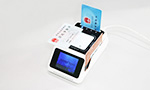
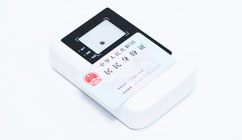
支持广东东信智能科技有限公司EST-100系列产品,支持 EST-100、EST-100GS、EST-J13X、EST-100G、EST-100U等机型。
import DonseeDevice from 'donseedevicelib/src/main/ets/model/DonseeDevice';
import { IDCardInfor } from 'donseedevicelib/src/main/ets/model/IDCardInfor';
@Entry
@Component
struct Index {
@State message: string = '东信智能多功能读写器测试';
@State imgBase64: string = '';
@State imageVisible: Visibility = Visibility.None;
@State tvResult: string = '等待操作...';
build() {
Column() {
// 顶部标题
Text(this.message)
.fontSize(20)
.fontWeight(FontWeight.Bold)
.fontColor('#0066CC')
.margin({ top: 10, bottom: 10 });
// 身份证照片展示
Image(this.imgBase64)
.visibility(this.imageVisible)
.width(102)
.height(126)
.borderRadius(10)
.objectFit(ImageFit.Cover)
.backgroundColor('#F5F5F5')
.margin({ bottom: 5 });
// 操作结果卡片
Scroll() {
Text(this.tvResult)
.fontSize(16)
.fontColor('#333333')
.lineHeight(26)
.width('100%')
.padding(20)
}
.width('92%')
.height(260)
.backgroundColor('#FFFFFF')
.borderRadius(16)
.shadow({ radius: 4, color: '#10000000', offsetX: 0, offsetY: 2 })
.margin({ bottom: 10 });
// 功能按钮区域
Column({ space: 16 }) {
Button("打开设备")
.width('92%')
.height(40)
.fontSize(18)
.fontWeight(FontWeight.Medium)
.backgroundColor('#0066CC')
.borderRadius(26)
.onClick(() => {
let ret: number = DonseeDevice.Donsee_Open("USB");
if (ret == 0) {
DonseeDevice.Donsee_Beep(50);
this.tvResult = "✅ 设备打开成功";
} else {
this.tvResult = "❌ 设备打开失败,错误码:" + ret;
}
});
Button("读取身份证")
.width('92%')
.height(40)
.fontSize(18)
.fontWeight(FontWeight.Medium)
.backgroundColor('#009966')
.borderRadius(26)
.onClick(() => {
let idInfo: IDCardInfor = DonseeDevice.Donsee_ReadIDCard(1);
console.info("readResult: " + idInfo.result);
if (idInfo.result == 0) {
DonseeDevice.Donsee_Beep(50);
if (idInfo.ENfullnameOther.length > 0) {
idInfo.ENfullname += idInfo.ENfullnameOther;
}
this.tvResult =
"🪪 中文姓名:" + idInfo.name + "\n" +
"🌐 英文姓名:" + idInfo.ENfullname + "\n" +
"👤 性别:" + idInfo.sex + " 民族:" + idInfo.people + "\n" +
"🎂 出生日期:" + idInfo.birthday + "\n" +
"🏠 住址:" + idInfo.address + "\n" +
"🆔 身份证号:" + idInfo.number + "\n" +
"🏢 签发机关:" + idInfo.organs + "\n" +
"⏳ 有效期:" + idInfo.signdate + " - " + idInfo.validterm;
if (idInfo.imgBase64.length > 0) {
this.imgBase64 = 'data:image/png;base64,' + idInfo.imgBase64;
this.imageVisible = Visibility.Visible;
}
} else {
this.imageVisible = Visibility.None;
this.tvResult = "❌ 读取失败,错误码:" + idInfo.result;
}
});
Button("读社保卡")
.width('92%')
.height(40)
.fontSize(18)
.fontWeight(FontWeight.Medium)
.backgroundColor('#009966')
.borderRadius(26)
.onClick(() => {
let nSlotPsam = 1
let nType = 1
let ssCardInfor = DonseeDevice.Donsee_ReadSSCard(nSlotPsam, nType)
if (ssCardInfor.result == 0) {
DonseeDevice.Donsee_Beep(50);
this.tvResult = "姓 名:" + ssCardInfor.name + "\n"
+ "性 别:" + ssCardInfor.sex + "\n"
+ "民 族:" + ssCardInfor.nation + "\n"
+ "出身日期:" + ssCardInfor.birthday + "\n"
+ "城市代码:" + ssCardInfor.city + "\n"
+ "身份证号:" + ssCardInfor.idnumber + "\n"
+ "社保卡号:" + ssCardInfor.cardnumber + "\n"
+ "开始有效期限:" + ssCardInfor.signdate + "\n"
+ "结束有效期限:" + ssCardInfor.validterm + "\n"
+ "社保版本:" + ssCardInfor.cardveVrsion + "\n"
} else {
this.tvResult = "读卡失败:" + ssCardInfor.result+"\n errMsg = "+ssCardInfor.errMsg.trim()
}
});
Button("读社保卡基本信息")
.width('92%')
.height(40)
.fontSize(18)
.fontWeight(FontWeight.Medium)
.backgroundColor('#009966')
.borderRadius(26)
.onClick(() => {
let datas = DonseeDevice.Donsee_iReadCardBas(3)
if (datas[0] == 0) {
DonseeDevice.Donsee_Beep(50);
this.tvResult = "读基本信息成功:" + datas[1]
} else {
this.tvResult = "读基本信息失败:" + datas[0]
}
});
}
.width('100%')
}
.width('100%')
.height('100%')
.backgroundColor('#F2F3F5')
.alignItems(HorizontalAlign.Center)
}
}


 微信咨询
微信咨询 QQ 咨询
QQ 咨询